If there is just one pair of lanes in No Comm (lightning bolt) and if none of the procedures from the Lightning Bolts / No Communication article helped you in solving this issue, you need to know if the HUB is defective or not by swapping it with a HUB from another pair of lanes (that works well).
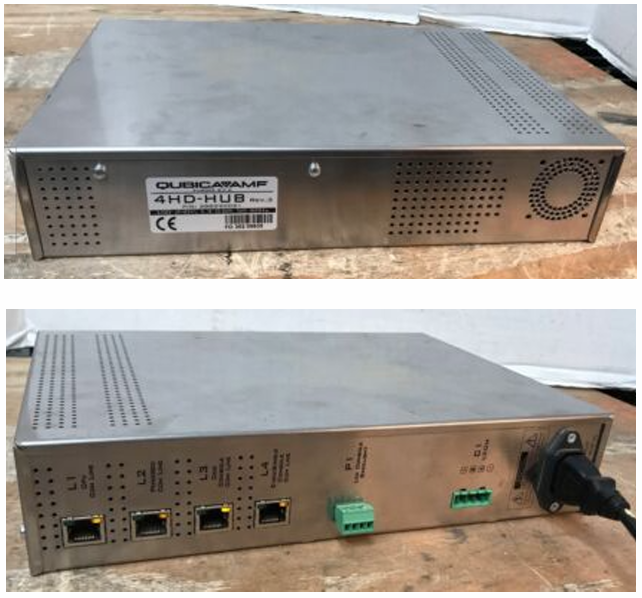
1) With your cellphone, snap a couple of photos of the two HUBs to make sure you can reconnect the cables into the right ports.
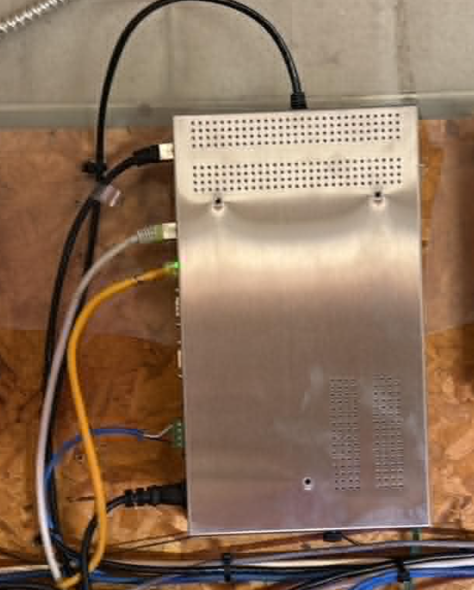
2) Disconnect the power cable of the HUB followed by the other cables. Repeat that to the other HUB.
3) There might be a black screw at the bottom of the HUB holding it to its mount. If so, remove the screw and lift the HUB carefully from its mount. Repeat that to the other HUB.
4) Swap the two HUBs and reconnect the cables. Finish by plugging the power cable.
Reconnecting the power cable to the HUB is the roughly the same as uploading the programs to the lanes from Setup > Lane Setup > Upload to lanes. So, wait a few minutes to see if the lanes reboot as they are supposed to.
You may go to the All Lanes window in Conqueror to see if BOOTING comes up on the defective pair of lanes. Also, pay attention to the upper monitors of the two pairs of lanes to notice any discrepancies compared to an upload to the lanes in Conqueror.
If the No Comm (lightning bolt) issue is transferred to the pair of lanes that used to work fine, chances are that this HUB is defective. Install a spare HUB and see if the pair of lanes reboots normally. It should.
If the No Comm (lightning bolt) issue stays on the defective pair, the HUB is not the cause of the no communication issue. You might want to test the CPU. CLICK HERE to read the article on how to test a CPU.
Was this article helpful?
That’s Great!
Thank you for your feedback
Sorry! We couldn't be helpful
Thank you for your feedback
Feedback sent
We appreciate your effort and will try to fix the article