If Conqueror does not open and does not allow you to enter your credentials, see if the letter Q at the bottom right of the task bar is grey. If so, try to reinitiate the letter Q to green. Follow these steps.
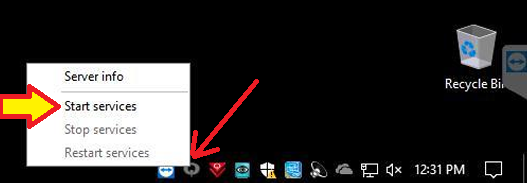
1) The letter Q is grey. Right-click on the Q and click Start services. Most of the times, this works. The letter Q turns green after a few secondes. You can open Conqueror normally.
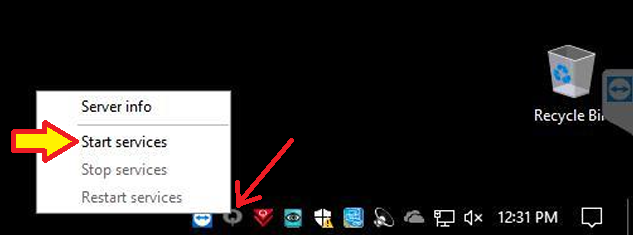
If the Q does not turn green as expected and the services fail to start, go to Step 2.
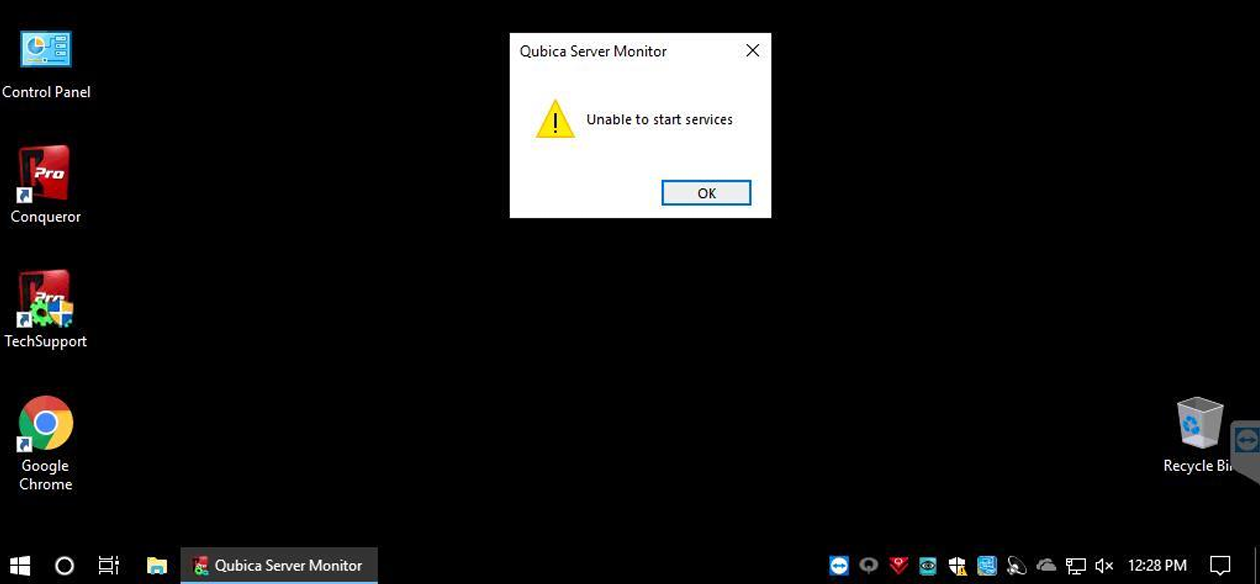
2) Restart / reboot the computer. This can be enough to get the letter Q to go green without any further troubleshooting. If the letter Q stays grey, follow the next steps.
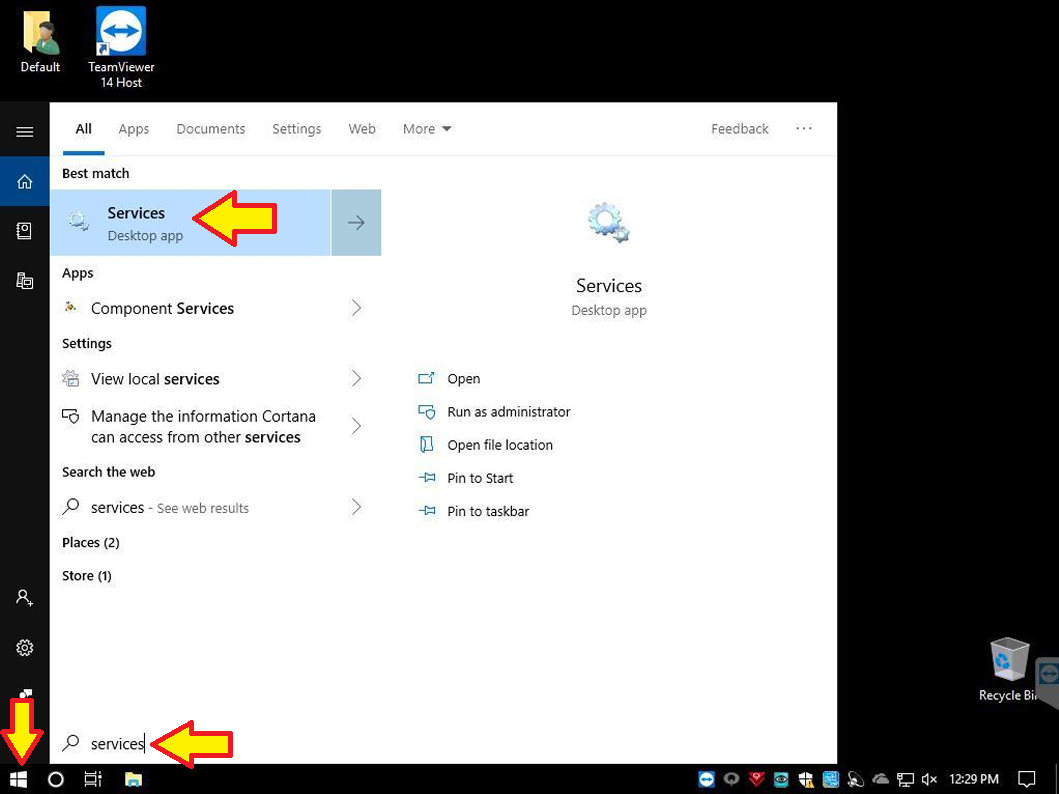
3) Click the Windows Start button at the bottom left and type in "Services". Click Services.
4) There may be a window popping up on your screen asking to enter a password. Click More Choices at the bottom left and select Administrator. Then, reach us out to know the password if you necessary. Click YES at the bottom.
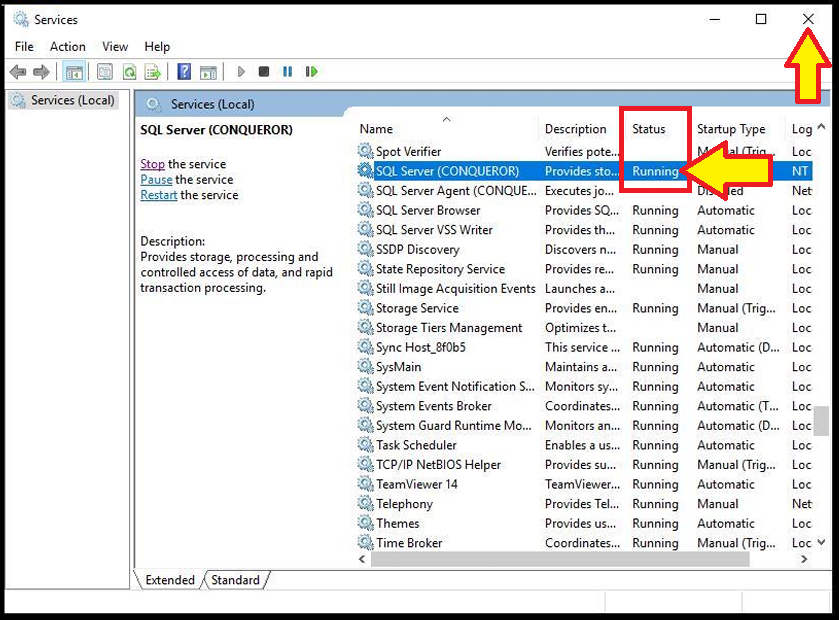
5) Click in the services list and type "SQL". This takes you quickly to the SQL Server service. Under Status, it should not be running.
6) Make sure SQL Server is highlighted and click Start on the left.
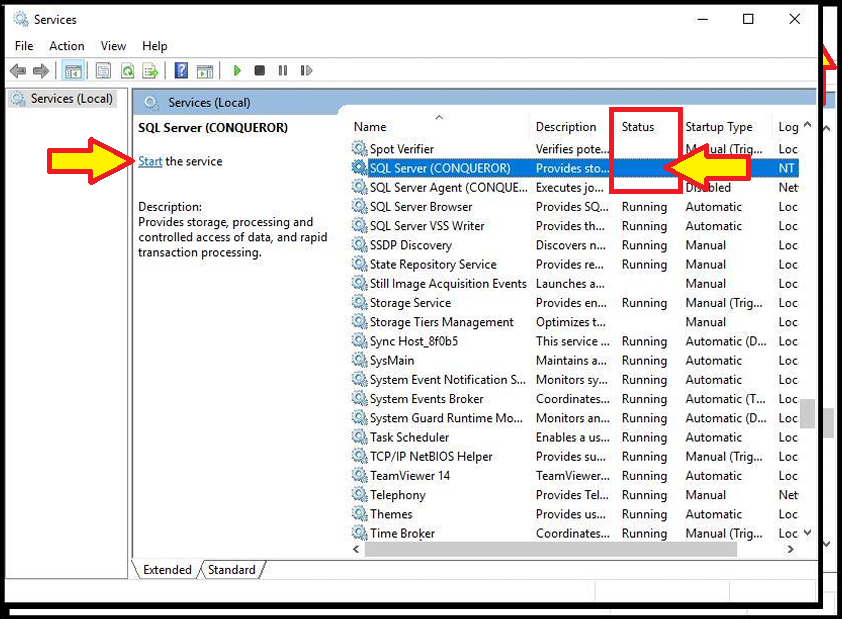
7) When it shows Running under Status, close the window.
8) Right-click the letter Q and click Start services.
9) The letter Q should go green after a few seconds.
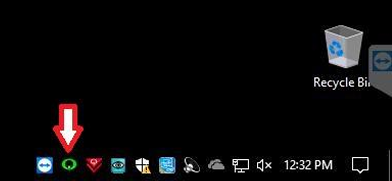
If the letter Q remains grey, reach out to Buffa Distribution tech support.
Was this article helpful?
That’s Great!
Thank you for your feedback
Sorry! We couldn't be helpful
Thank you for your feedback
Feedback sent
We appreciate your effort and will try to fix the article