It is essential to correctly configure two options in Conqueror options so that a "Best Box/Frame" tournament runs smoothly from the start. First, in 99% of cases, we want the team's second player not to play if the first player gets a strike. Then, by default, we want the team's third player to be a virtual player and to count every "best frame". Please read the following instructions carefully.
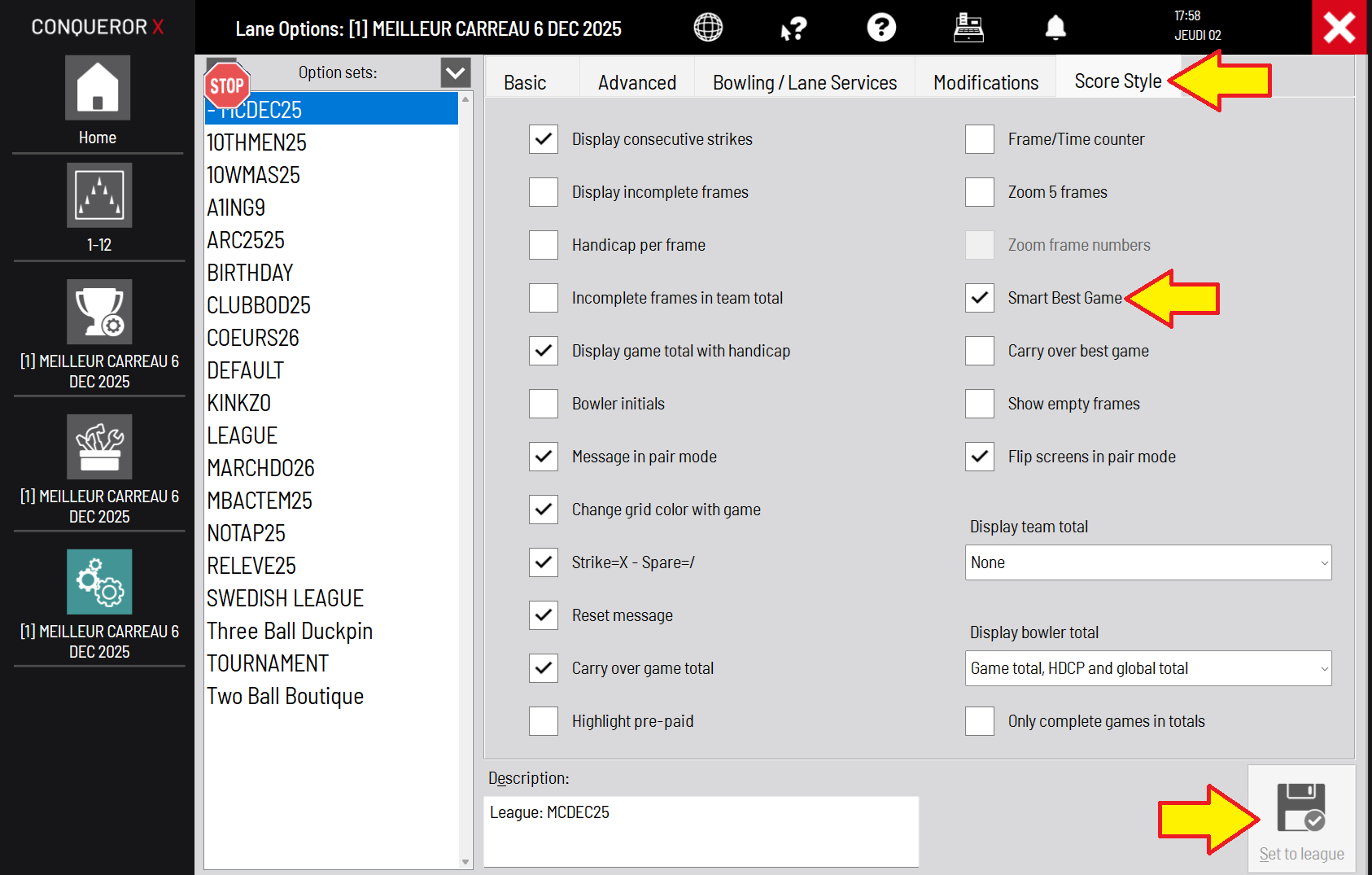
SMART BEST GAME
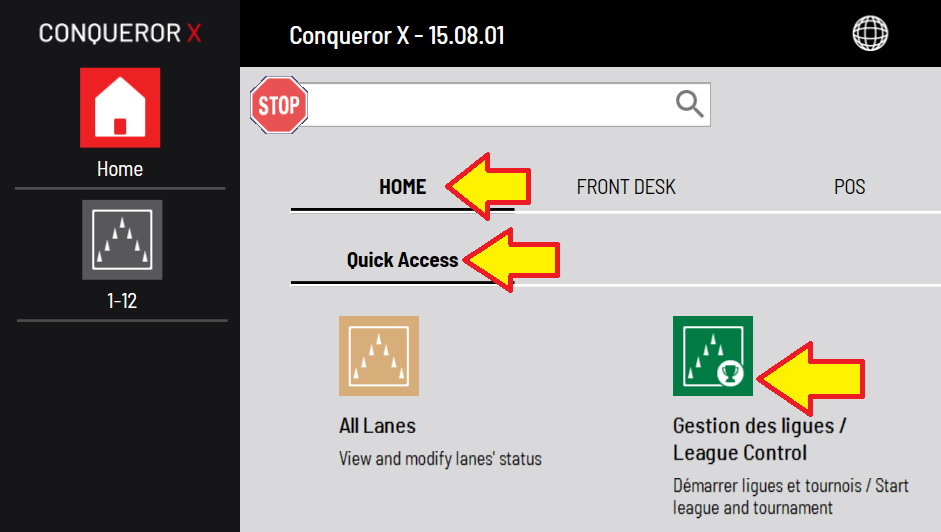
- Go to Home > Quick Access > League Control
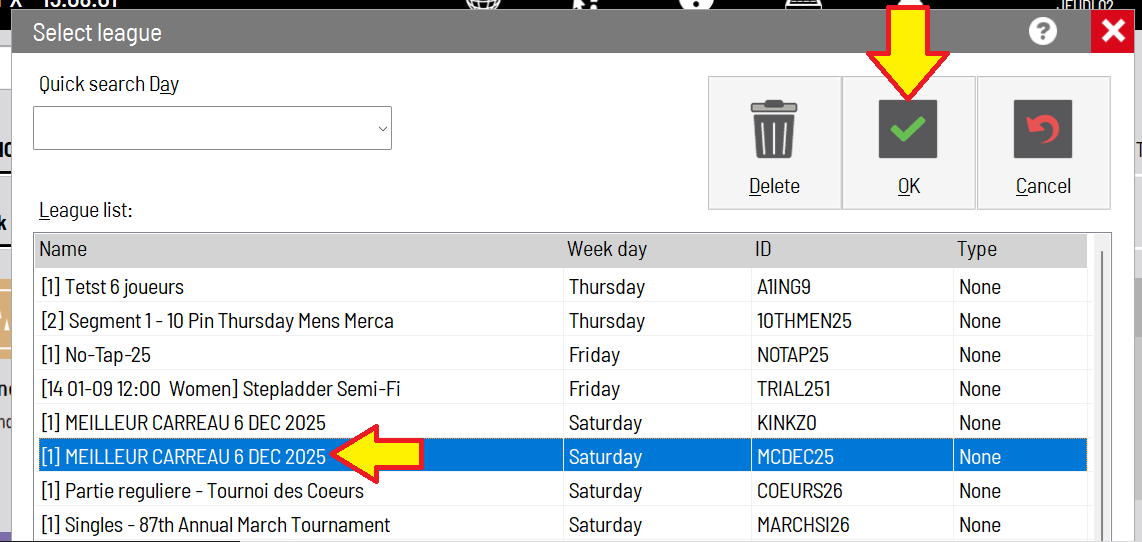
- Select the tournament and click OK.
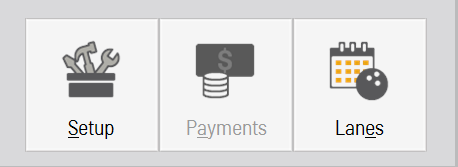
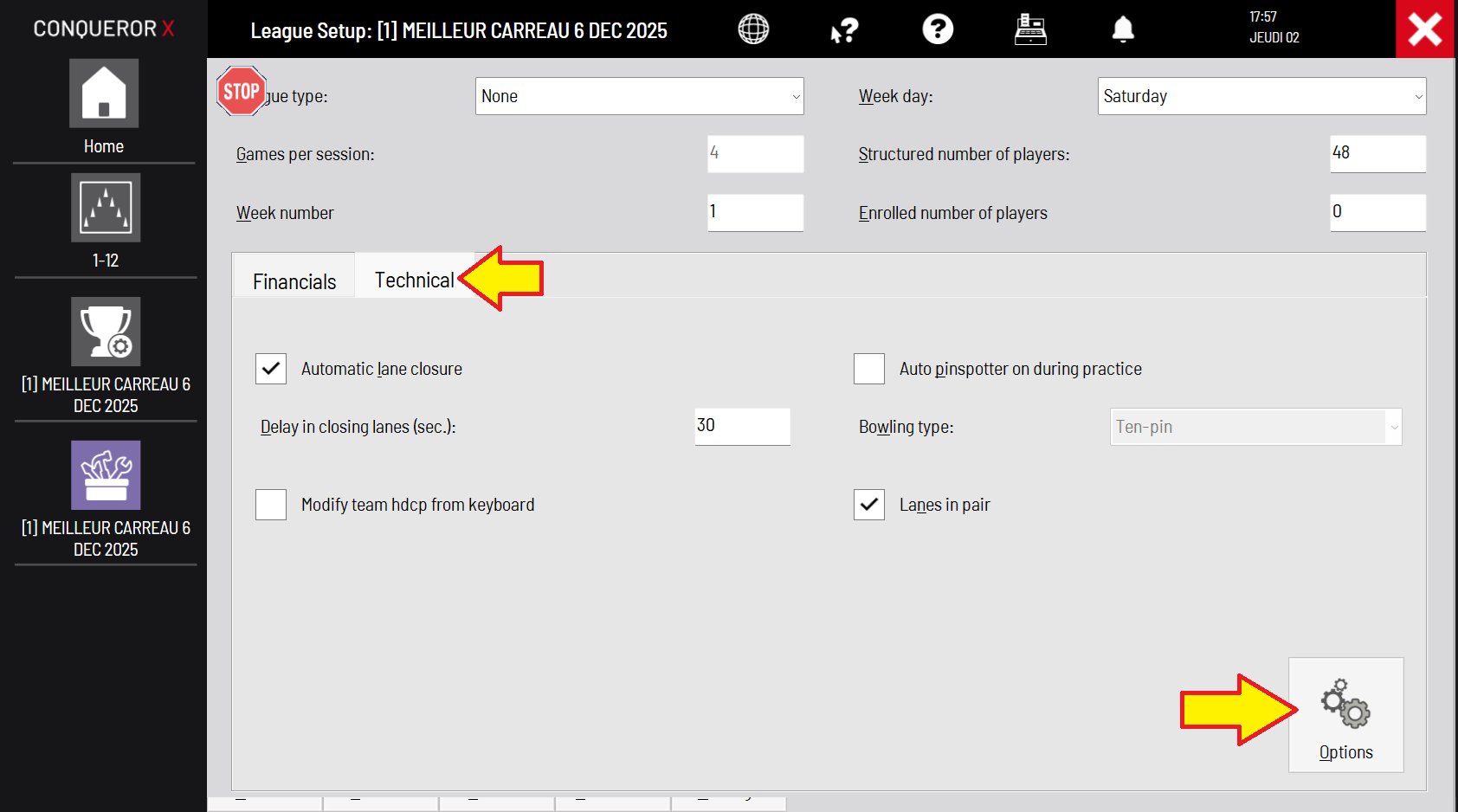
- Go to Setup > Technical > Options.
- In Score Style, make sure that Smart Best Game is checked.
THIRD BOWLER'S TYPE (BEST FRAME)
Each shift, after sending the rosters to the lanes/monitors in Conqueror...
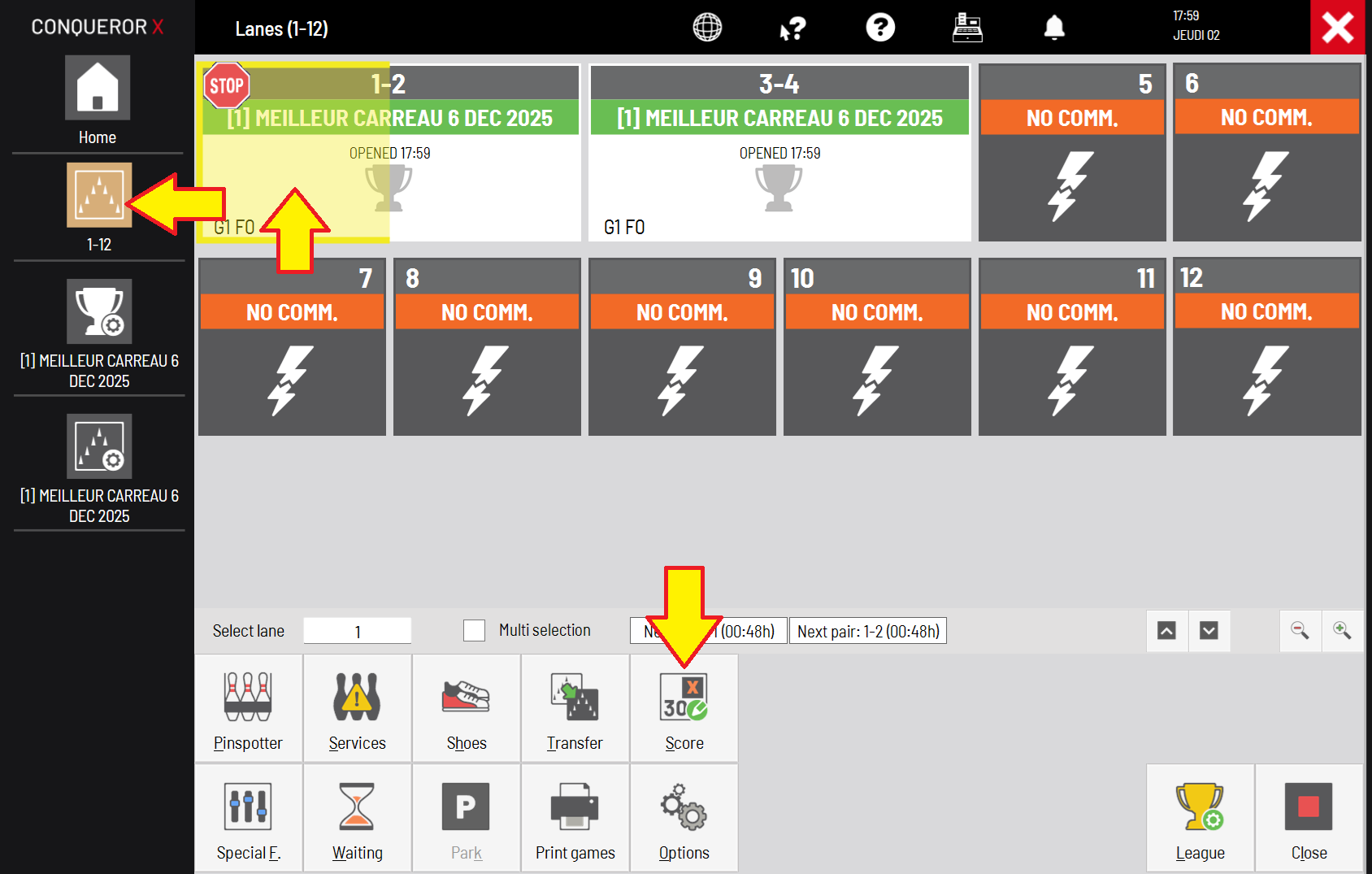
- Go to the All Lanes window.
- Select Lane 1.
- Select Score.
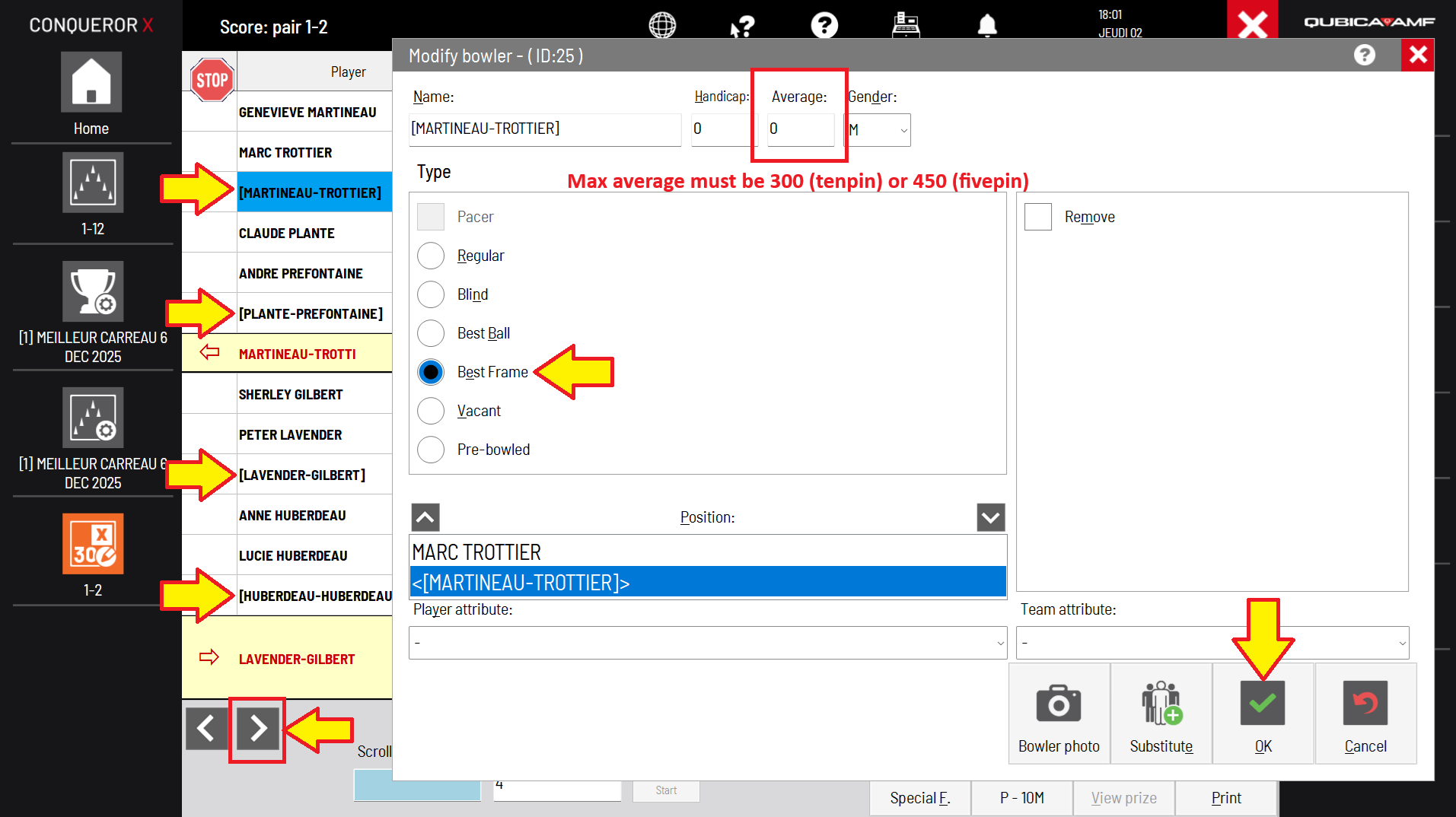
- Select the third bowler on the first team. Check Best Frame. If it is a handicap tournament and the 3rd bowler has an average higher than 300 (tenpin) or 450 (fivepin), make sure to change the average according to the max score of each sport. Changing the average here will not have any impact on the tournament and the stats. Click OK. Repeat that to the third bowler of every team; lanes 1-2 will be completed.
- Click the arrow pointing to the right (at the bottom) to go to the next pair of lanes.
- Change the type of every third bowler on this pair and keep going with the other pairs of lanes too.
Was this article helpful?
That’s Great!
Thank you for your feedback
Sorry! We couldn't be helpful
Thank you for your feedback
Feedback sent
We appreciate your effort and will try to fix the article